Steps to Execute
Access the HCV On-Treatment Progress Form
Save the HCV On-Treatment Progress Form
Subsequent Visits
Steps to Execute
This form is used to track the progress of HCV treatment. The same form will be used for the course of treatment up to 12 weeks. Once the form has been initiated, access the form from the Medical Record or Recent Encounters instead of opening a new form for each visit.
Access the HCV On-Treatment Progress Form
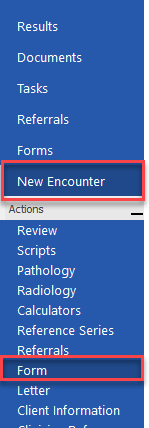
1. Select New Encounter and Form action
 .
.
2. Type HCV in Look for
3. Select Find
4.Double click Hepatitis C (HCV) on- Treatment progress Form to open 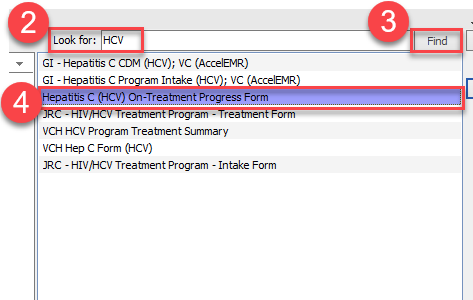
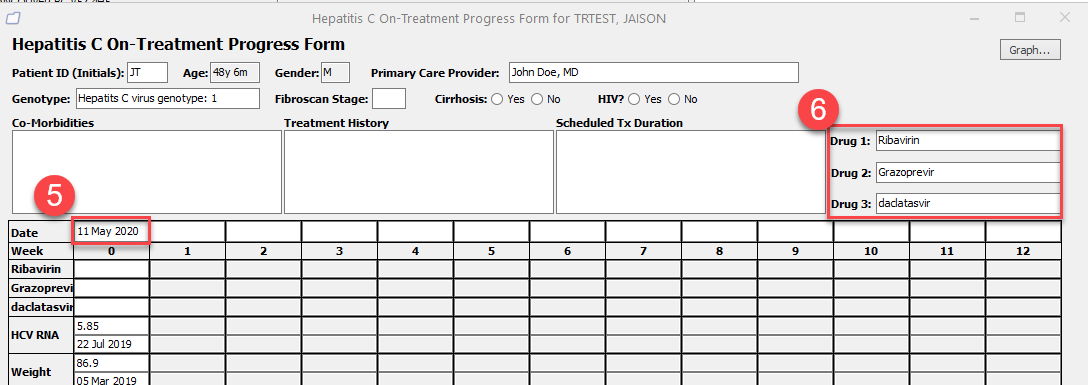
5. Enter visit date – most recent labs will pull in automatically
6. Enter medications
Save the HCV On-Treatment Progress Form
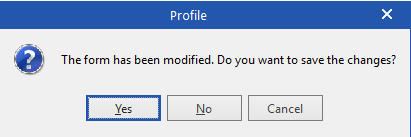
1. Close the form by clicking on the X symbol in the right upper corner – you will be prompted to Save
Subsequent Visits
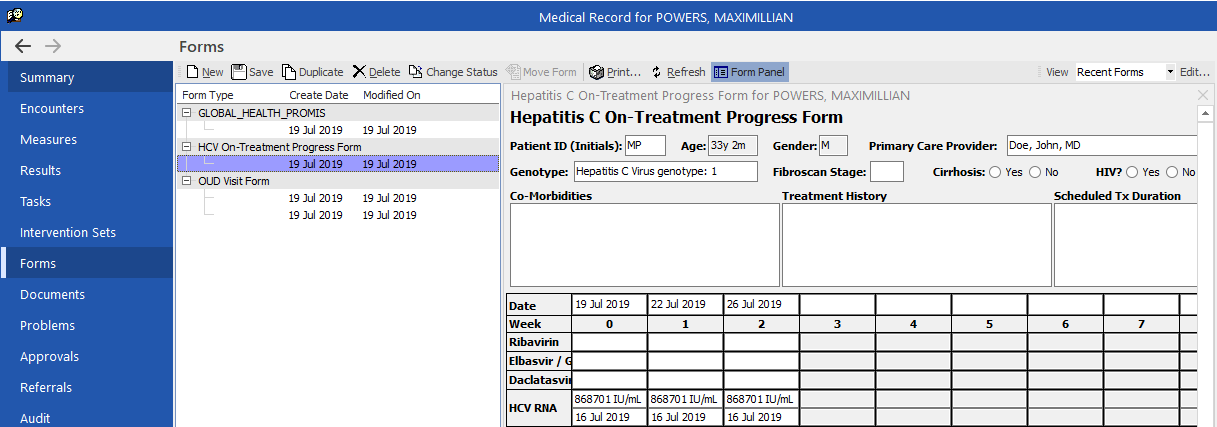
Option #1: Access ‘Forms’ via the Client’s Medical Record
1. Select Forms
2. Single click on date of form
3. Enter updates as required
4. Select Save
OR
Option #2: From New Encounter, Select Form from Recent Encounter
1. From within New Encounter, select Review
2. Single click on form hyperlink
