Background
Locate Your Clinic’s Intervention List
Book Appointments for Interventions
Background
An Intervention is a reminder, entered into Profile EMR by a clinician, to recall a patient for a specific reason (e.g. Pap test, follow-up exam, etc.). It is the CSCs’ responsibility to book the recall appointment for the client.
Locate Your Clinic’s Intervention List
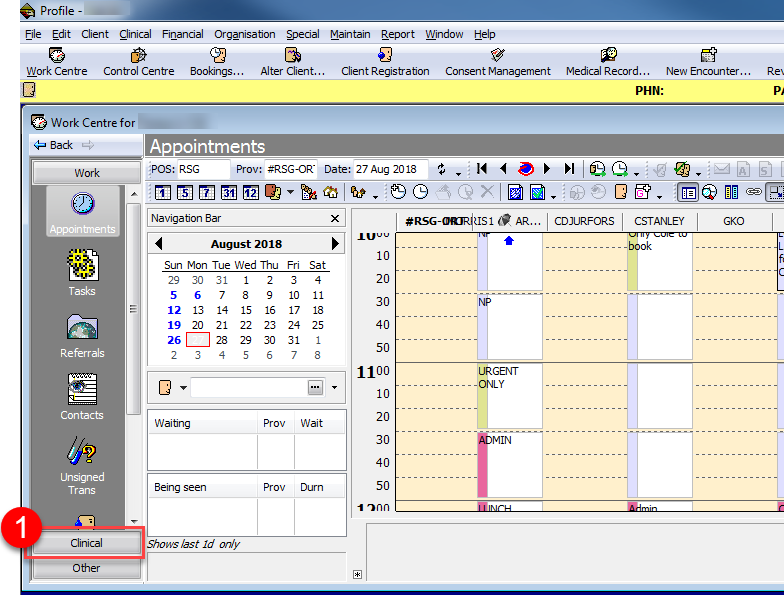
1. From the Work Centre click on Clinical.
2. Click on the Intervention List icon.
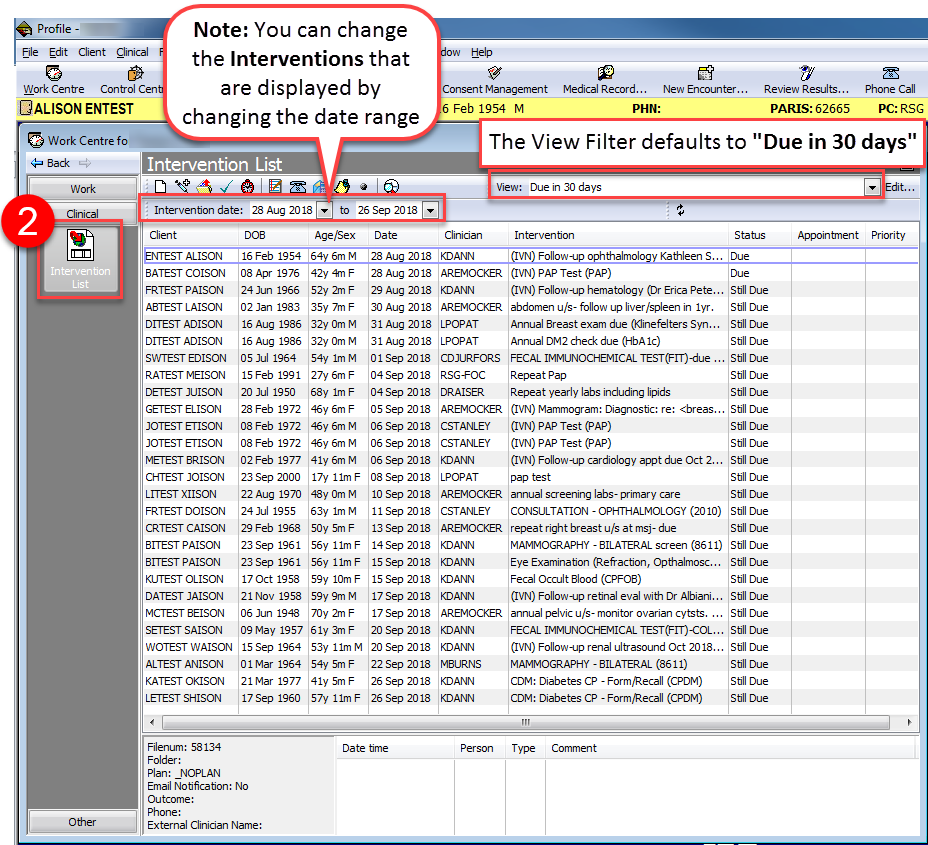
Note: The View Filter defaults to Due in 30 days. You can select a different filter from the dropdown to change the view. You can also manually change the date range of the Interventions that are displayed by toggling the Intervention date fields.
Book Appointments for Interventions
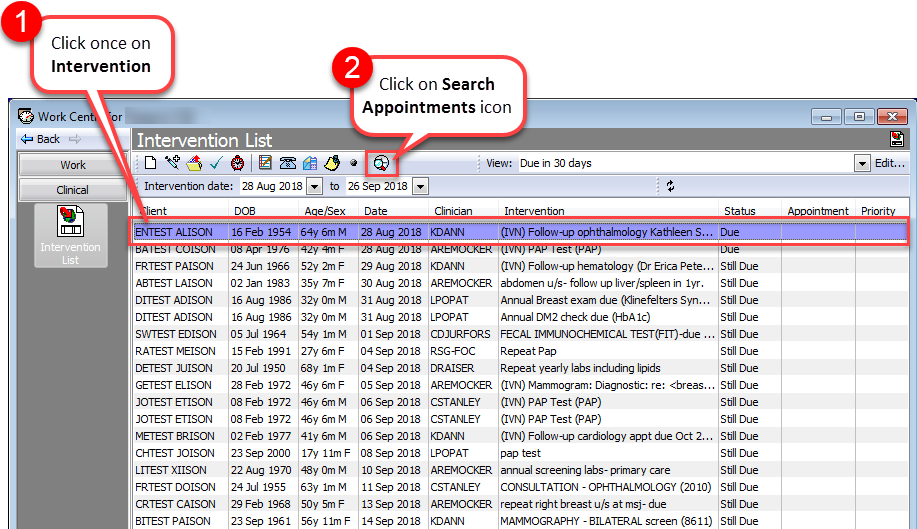
1. From the Intervention List, click once on the Intervention that you want to book an appointment for. It should now be highlighted in purple.
2. Click on the Search Appointments icon.
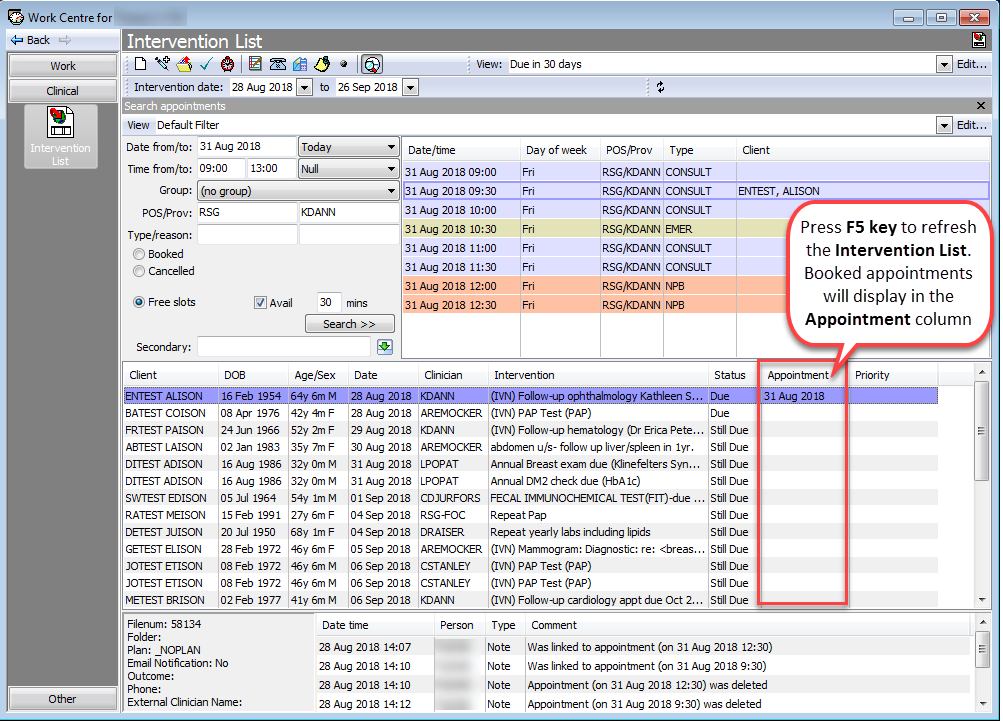
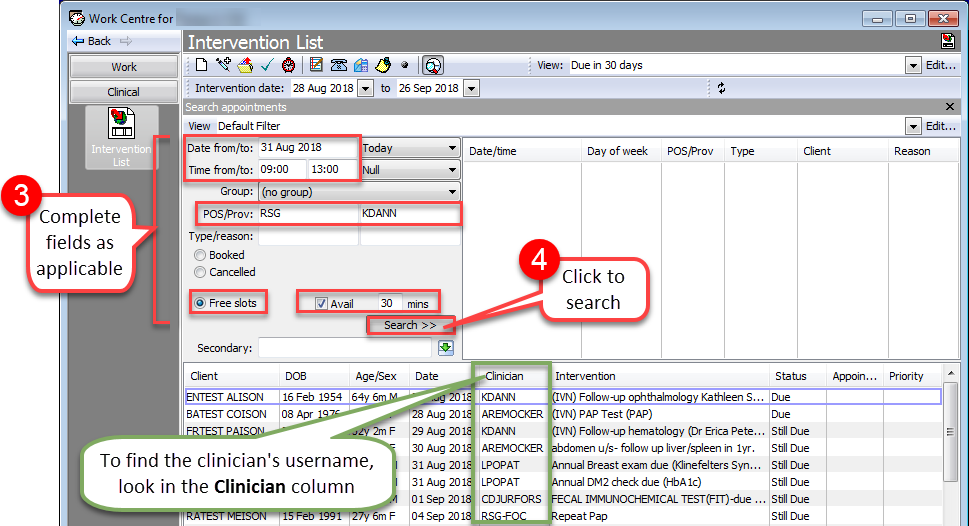
3. Complete the following fields in the Search appointments panel to search for available appointment slots:
- Date from/to: Enter date of the desired appointment.
- Time from/to: Enter a time range to search within for the desired appointment slot.
- POS/Prov: Enter the POS and username of the clinician that you want to book the appointment with.
- Note: You can find the clinician’s username in the Clinician column of the Intervention.
- Booked/Cancelled/Free slots: Select the Free slots radio button.
- Avail: Tick the Avail checkbox and enter duration of the appointment in the mins field.
4. Click Search to display any available appointment slots that fit within your search criteria.
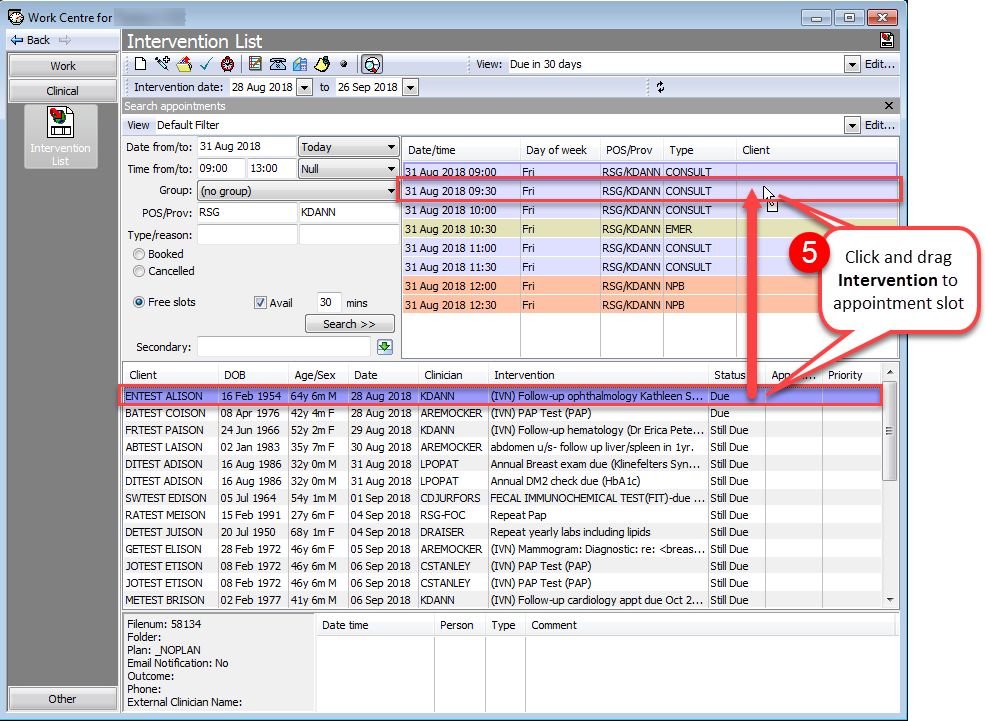
5. Click and drag the Intervention directly over one of the available appointment slots.
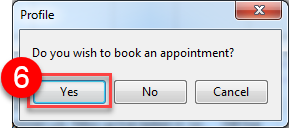
6. “Do you wish to book an appointment” pop-up will appear. Click Yes.
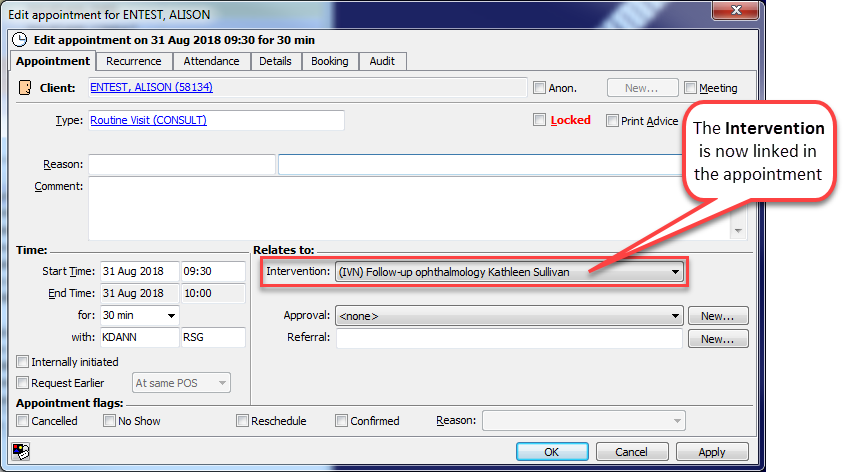
7. The newly booked appointment will appear at the bottom of the appointment list. If necessary, double-click to edit the booked appointment (e.g. Enter an appointment reason, comments, etc.).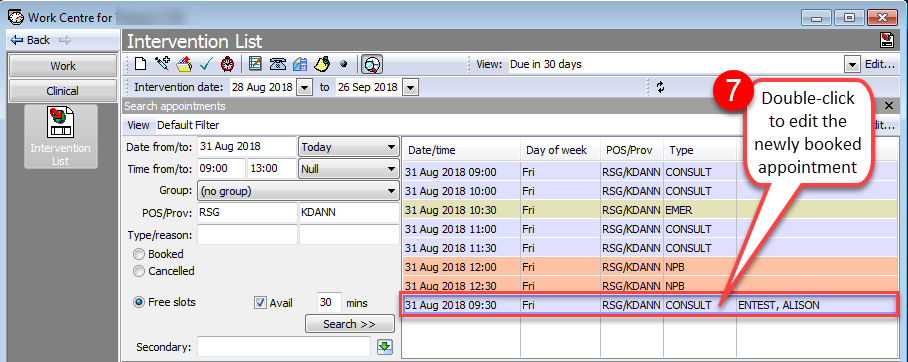
If you double-click the appointment, you will see that the Intervention now linked.
Note: When you go back to the Interventions List, press the F5 key on your keyboard to refresh the list. Any newly booked appointments will appear in the Appointment column of the Intervention.