Background
Identify Duplicate Patient Records
Report a duplicate record
Background
Use this document if you encounter two clients that appear to be the same in the EMR. Staff must search for existing client using partial last name and first name before being able to create a new client. If you search for a new client and encounter two clients that could be the same on the basis of their First Name, Last Name or Date of Birth (DOB); please ensure the client information is in the master record.
In order to ensure that you are recording the information in the correct Master record, you will have to search using the Alter client window and review any notes entered on the client’s record.
Identify Duplicate Patient Records
If you discover that there are two patient records that look similar, please note down the client Name (Index), File Num or PHN.
Follow the below steps to view the notes entered for the client to determine which is duplicate versus Master.
1. Navigate to the Alter Client using the banner bar.
2. Search for your client using either: Index, File Num, PHN, etc.
3. Check to see if the client record is Active or Inactive. 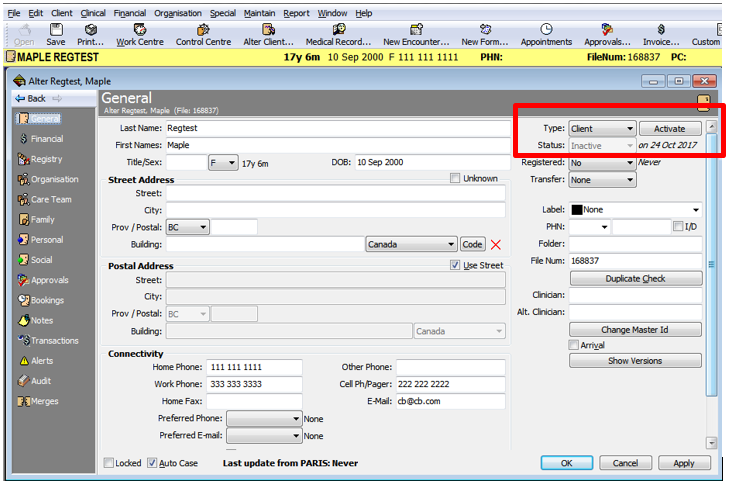
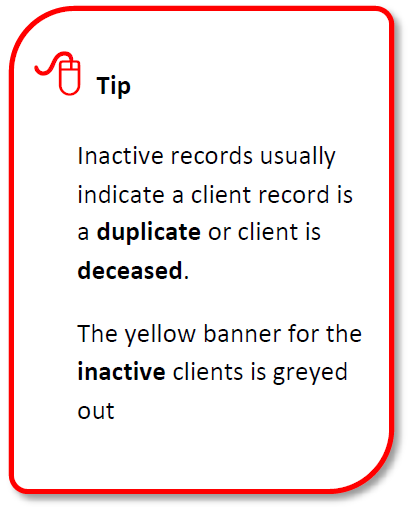
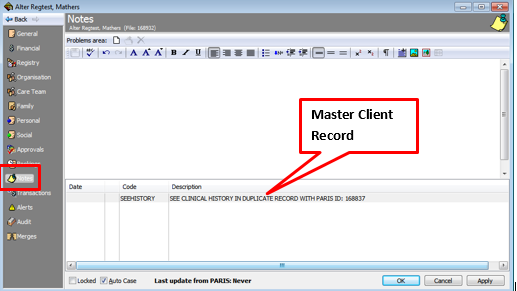
4. Navigate to Notes.
5. Check notes for DONOTUSE-DUPLICATE CLIENT. Please use PARIS ID: ### / EMR ID:###
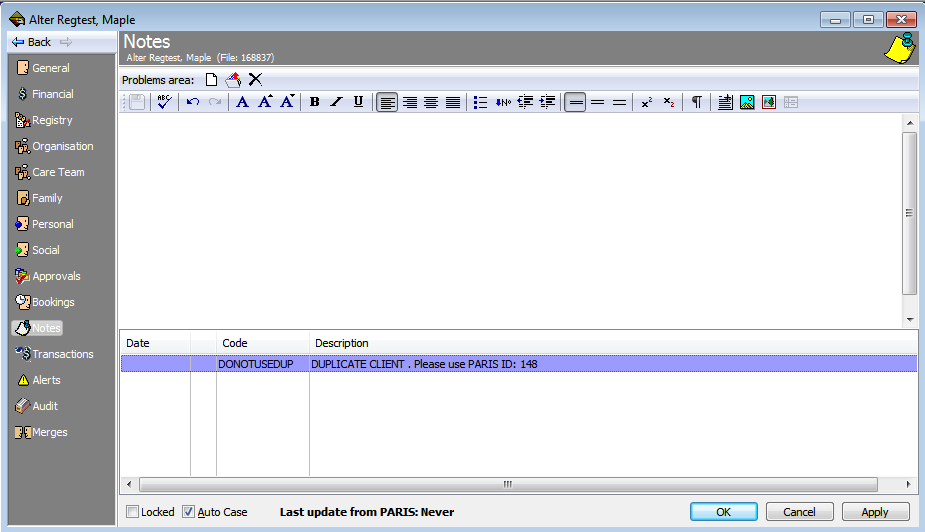
6. Check notes for SEEHISTORY – SEE Clinical HISTORY In DUPLICATE RE

Report a Duplicate Record
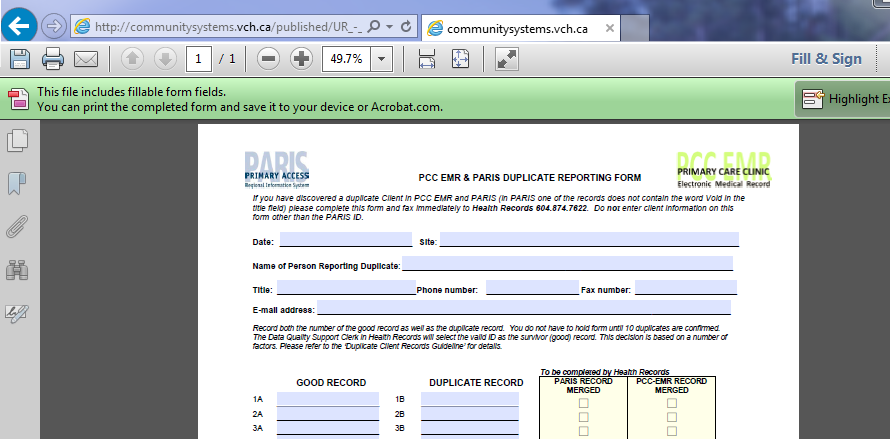
In the event where there are two active records and you determine that one of them should be marked as a duplicate, please fill in this form Inactivating a duplicate record and submit it to Health Records so that the duplicate record can be inactivated.